
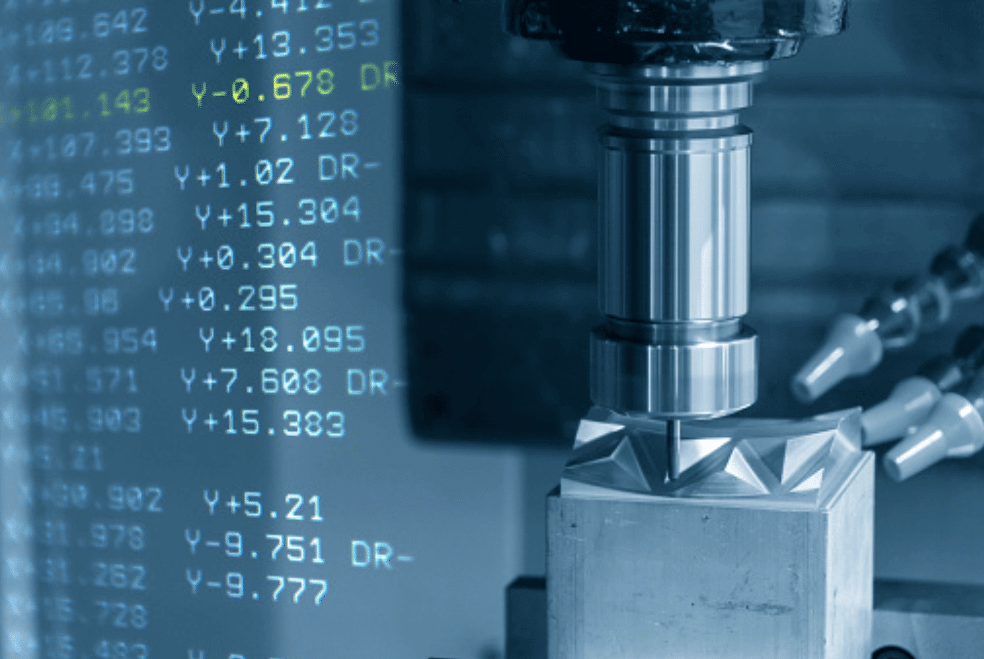
G-Code and M-Code are the essential instructions required for CNC machines to function. While CAM software can generate these codes automatically, machinists and programmers who understand this language can perform quick edits, troubleshoot issues, and optimize manufacturing. Mastering these codes ensures full control over tool paths, safety, and machine performance.
The Dual Nature of CNC Programming
CNC programs are text files that the machine control unit reads line by line. These files are primarily composed of two types of codes: G-Codes and M-Codes. While they work in tandem, they serve distinctly different purposes.
G-Code stands for “Geometric Code.” It handles the motion and positioning of the tool. When you need the machine to move the cutting tool to a specific coordinate, move in a straight line, or cut an arc, you use G-Code. It tells the machine how to move and where to go.
M-Code stands for “Miscellaneous Code” or “Machine Code.” These commands control the non-geometric functions of the machine hardware. They are the on/off switches. M-Codes handle tasks like starting and stopping the spindle, turning on coolant, changing tools, or ending the program. If G-Code is the steering wheel and gas pedal, M-Code is the ignition, headlights, and windshield wipers.
The Basic Structure of a Program
A CNC program is organized into blocks, which are essentially lines of code. The machine reads these blocks sequentially, executing the commands in one block before moving to the next.
A typical block might look like this:
N10 G01 X5.0 Y2.5 F10.0
Here is the breakdown of that syntax:
- N10: The sequence number. This helps organize the program but is often optional in modern controllers.
- G01: The specific G-Code command (Linear Interpolation).
- X5.0 Y2.5: The coordinates the tool needs to reach.
- F10.0: The feed rate, or how fast the tool should move during the cut.
This structure is rigid. The controller expects data in a specific format, and a misplaced decimal point or a forgotten letter can result in a crashed machine or a scrapped part.
Common G-Codes: Mastering Movement
There are hundreds of G-Codes, but you can accomplish a surprising amount of work by mastering just a handful of the most common ones. These primary codes control the fundamental movements of the machine.
G00: Rapid Positioning
This command tells the machine to move to a specific coordinate at maximum speed. It is used for non-cutting movements, such as moving the tool from the tool changer to the start of the part.
- Usage: G00 X0 Y0
- Note: Never use G00 for cutting material. The machine moves blindly at full speed, which can break tools if they encounter the workpiece.
G01: Linear Interpolation
This is the workhorse of cutting. G01 instructs the machine to move in a straight line to a specific position at a controlled feed rate.
- Usage: G01 X1.0 Y1.0 F15.0
- Note: You must define a feed rate (F) for this code to work.
G02 and G03: Circular Interpolation
Straight lines are useful, but parts often have curves. G02 commands a clockwise arc, while G03 commands a counter-clockwise arc.
- Usage: G02 X2.0 Y2.0 R1.0
- Note: These commands usually require a radius (R) or center points (I, J, K) to define the arc properly.
G90 and G91: Positioning Modes
These codes change how the machine interprets coordinates.
- G90 (Absolute Positioning): Coordinates are relative to a fixed origin point (typically the corner of the part). If you say X10, the tool goes to the position X=10.
- G91 (Incremental Positioning): Coordinates are relative to the tool’s current position. If the tool is at X5 and you program X10, the tool moves 10 units further, ending up at X15.
G20 and G21: Units
Before moving an inch, the machine needs to know what an “inch” is.
- G20: Sets the system to Imperial units (inches).
- G21: Sets the system to Metric units (millimeters).
Common M-Codes: Controlling the Hardware
While G-Codes drive the tool, M-Codes manage the environment and the machine’s state. Using these correctly is vital for tool life and safety.
M03, M04, and M05: Spindle Control
You cannot cut metal effectively if the tool isn’t spinning (or the part, in the case of a lathe).
- M03: Starts the spindle rotating clockwise (standard for most drilling and milling).
- M04: Starts the spindle rotating counter-clockwise.
- M05: Stops the spindle.
M08 and M09: Coolant Control
Heat is the enemy of machining. Coolant keeps the tool and part cool and helps flush away chips.
- M08: Turns the flood coolant on.
- M09: Turns the coolant off.
M06: Tool Change
Complex parts require different tools—drills, end mills, taps.
- Usage: T01 M06
- Explanation: This tells the machine to physically swap the current tool for Tool #1.
M30: End of Program
This command appears at the very end of the file. It stops the machine, resets the program to the first line, and usually stops the spindle and coolant if they are still running.
A Practical Application
To see how these work together, let’s look at a simple scenario. Imagine we want to cut a 2-inch square using a 0.5-inch end mill. We will ignore tool radius compensation for simplicity and assume the tool center moves along the path.
% (Start of program)
O1001 (Program number)
G20 (Set units to inches)
G90 (Set to absolute positioning)
G00 Z0.1 (Rapid move to safe height above part)
S1200 M03 (Set spindle speed to 1200 RPM and turn on clockwise)
G00 X0 Y0 (Rapid move to start corner)
G01 Z-0.1 F10.0 (Feed down into material)
G01 X2.0 (Cut to first corner)
G01 Y2.0 (Cut to second corner)
G01 X0 (Cut to third corner)
G01 Y0 (Cut back to start)
G00 Z0.1 (Rapid retract to safe height)
M05 (Stop spindle)
M30 (End program)
In just a few lines, we have defined setup, safety, movement, cutting parameters, and shutdown procedures.
Tips for Writing Efficient Code
Even experienced programmers make mistakes. However, adhering to best practices can minimize errors and crashes.
Use Safety Lines
Start every program with a “safety line” or “safe block.” This is a string of codes that resets the machine to a known state. It might look like G20 G90 G40 G80 G49. This ensures that no lingering settings from a previous job (like active drill cycles or cutter compensation) interfere with your current program.
Comment Your Code
You might know what G01 Z-0.5 means today, but will you remember exactly which feature that creates six months from now? Use parentheses to add comments.
- Example: M06 T02 (1/4 INCH DRILL)
These notes are invisible to the machine but invaluable to the operator.
Dry Run with Graphics
Before cutting metal, use the simulation or “graphics” mode on the machine controller. This visualizes the tool path on the screen. It is the easiest way to catch a misplaced negative sign or a rogue decimal point before you risk damaging the machine.
Consistency is Key
Develop a standard format for your programs. If you always turn the coolant on at the same stage of the tool change sequence, it becomes second nature to check for it. If you work at a professional CNC machining company, you will likely find they have strict style guides for their code to ensure any operator can read any program safely.
Conclusion
Although modern tools like conversational programming and CAM systems are now common, knowing foundational G-Code and M-Code is still vital. Mastering this raw code helps you optimize production and identify problems as they happen. In CNC machining, understanding the machine’s language is crucial for precision and efficiency.
Stay in touch to get more updates & news on Discover Heading!